Foundations · 3 MIN READ
A marker that means something
A marker tells your dog which moment earned a reward. A short “yes” or a comfortable click can make that message clearer. Start by making the sound predict something your dog enjoys; the app can wait until after you deliver it.
Choose one clear signal
Pick a brief word you can say consistently, or a clicker sound that does not startle your dog. The marker is a promise of a reward, not a request to sit or look at you. Keep food ready before you begin. Use small pieces of a dog-safe food that fits your dog’s diet, or another reward the dog actually values.
DogWhiz has a Marker sound button during a training session. You can use your voice instead if reaching for the screen would make you late. Do not use repeated sounds to demand attention. If a sound worries your dog, stop and choose a quieter signal with appropriate professional guidance.
Keep the order clean
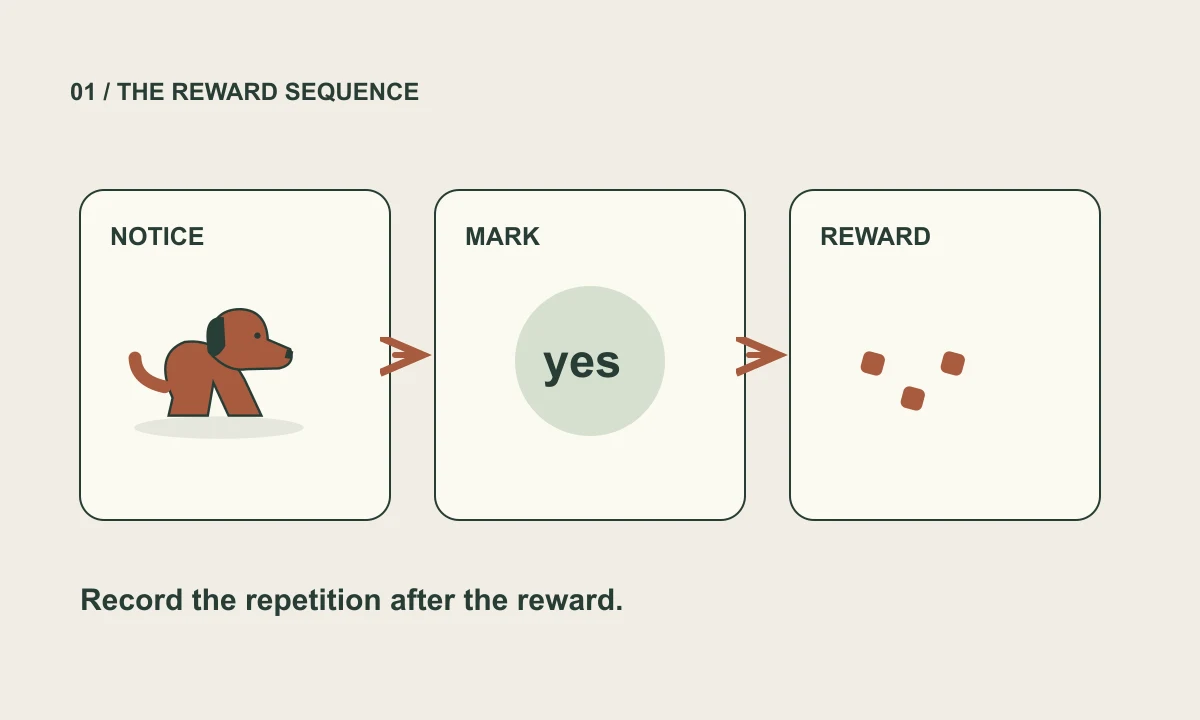
At first, make the marker sound and promptly give the reward without asking for a behavior. Later, mark an easy voluntary action at the instant it happens, then deliver the reward. For example, mark a glance toward you, rather than waiting until the dog has already turned away.
Recording a repetition and marking a behavior are different jobs. Success saves an outcome in DogWhiz; it does not tell the dog what earned the food. Finish the reward sequence first, then record while your dog takes a break.
A SMALL EXERCISE
Try it with your dog
- Prepare a few tiny rewards in a quiet room. Let your dog approach or leave freely.
- Make your chosen marker once, then promptly deliver one reward. Pause and repeat a few times while your dog remains comfortable.
- When the sound begins to predict the reward, try marking one easy glance toward you. Reward immediately after the marker.
- Stop while both of you are comfortable. A minute of clear practice can be enough; there is no quota to complete.
FROM PRACTICE TO A USEFUL RECORD
Record it in DogWhiz
Sign in to use your own dog’s plan. On small screens, look under More for Library, Plan, History, and Household. Check the exercise title before logging; routines can contain several goals.
- In Library, search for Marker Training. Select Add to plan, or Add with prerequisites if the app offers it for your chosen goal.
- Open Today and start the routine, or use Train → Start session. The generated routine decides which enrolled exercise appears; check its title before logging.
- In Session setup and optional measurements, record Reward and Quick notes. Use Marker sound only if it suits your timing and your dog.
- Choose the outcome that describes the exercise, then Complete or End early. Do not record a Success just because you pressed the marker button.
If it feels difficult
If your dog does not take food, check whether the reward is suitable and the setting is comfortable. Offer a break rather than repeating the sound faster. Return to simple sound–reward pairings at the next willing opportunity.
Never click near a dog’s ear or use startling sounds to interrupt behavior. Seek veterinary advice for a sudden change in appetite, hearing, comfort, or behavior.
Sources & further reading
These references support the training principles. Exercises and example logs are original educational suggestions, adjusted to the individual dog. App instructions were checked against the October 21, 2026 review baseline; this article has not received veterinary review.
- VCA: Clicker and Target Training
Conditioned markers, timing, and reinforcement.
- AVSAB: Humane Dog Training Position Statement
Reward-based methods; avoid aversive training.